


SkinTracker App
A photo diary for your moles
SkinTracker helps you document moles and skin spots over time by organizing photos of each lesion in chronological order. This ensures that, whenever needed, you have a clear reference of what they looked like in the past.
Why keep a photo diary?
Dermatologists advise keeping an eye on how moles evolve—specifically any changes in size, shape, or color. It’s difficult to notice these shifts if you can’t recall what a lesion looked like a few months ago. A chronological photo log provides a point of reference that you can review yourself or share with your doctor during an examination.
How it works
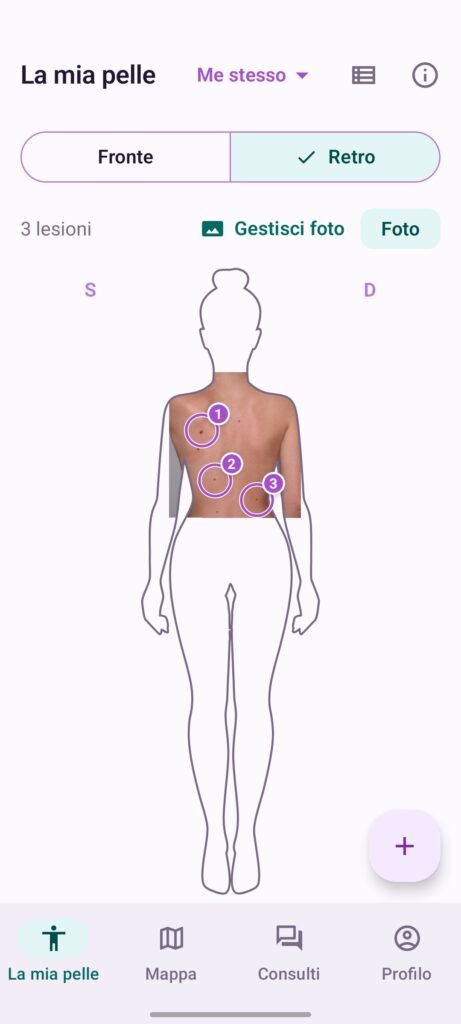
- Mark the lesion on the body map
Tap the “+” icon, select the body area, and indicate the location. Each lesion gets its own dedicated entry. - Track changes over time
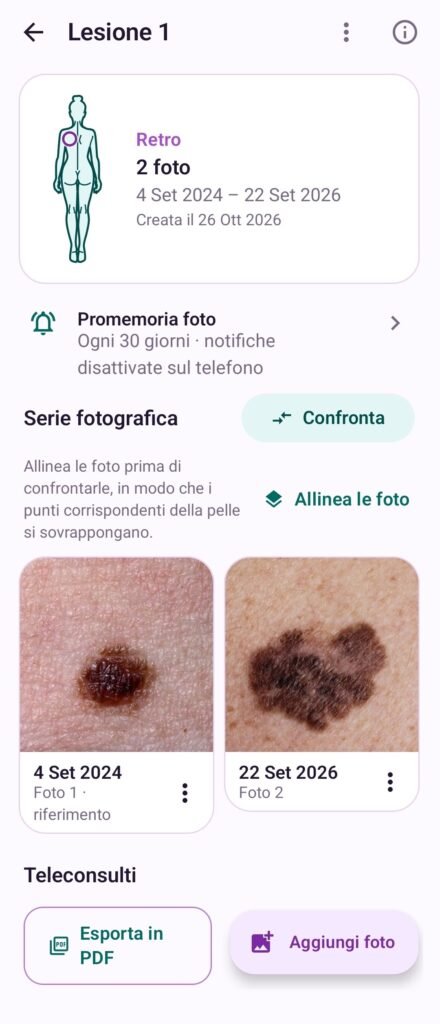
Take a new photo or import one from your gallery. Photos are organized by date, which you can edit if necessary. A reminder will notify you when it’s time for a new photo. - Align and compare
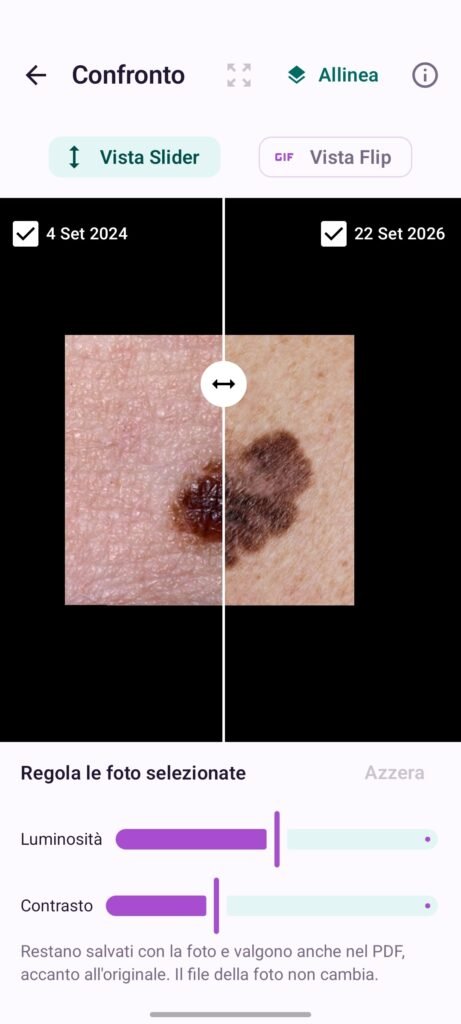
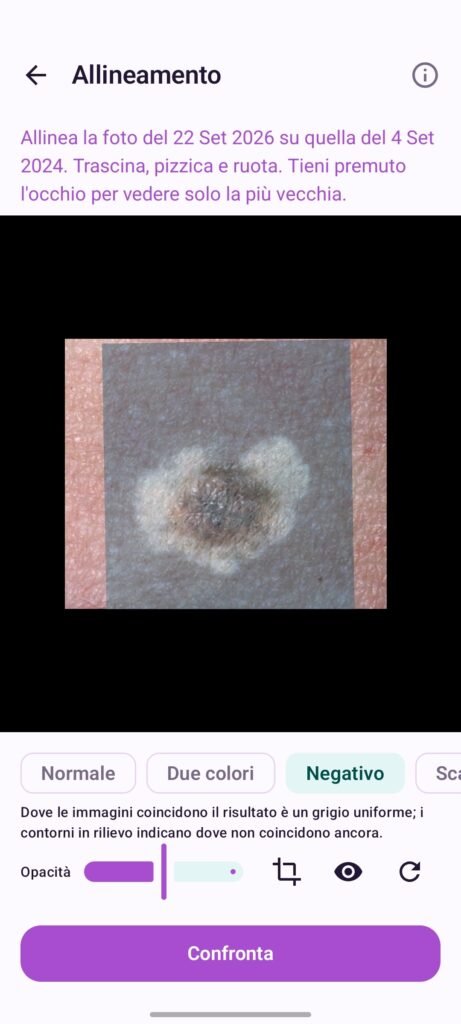
Overlay two photos to align specific skin features, then compare them using a slider or by viewing them in sequence. - Share the report with your doctor
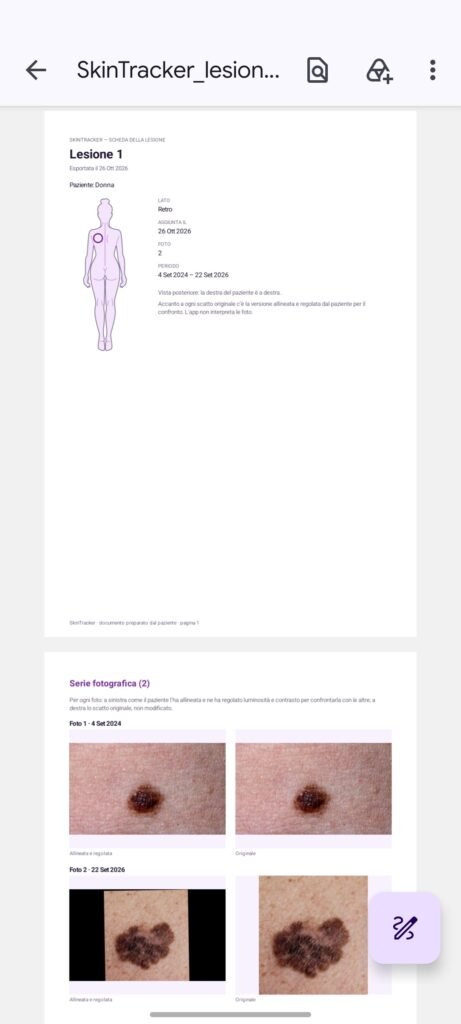
Export your photo series as a PDF to show your dermatologist during your appointment.
Features
- Body map: Mark the location of every mole or skin spot.
- Photo diary: Photos organized chronologically, with full-screen zoom capabilities.
- Alignment: Use two fingers to move, rotate, and scale an overlaid photo.
- Comparison: Use a “before and after” slider or view photos in sequence; you can also adjust brightness and contrast. The original photos remain unchanged. Panoramic photos: Capture an entire area and map it onto a body template to distinguish between nearby lesions.
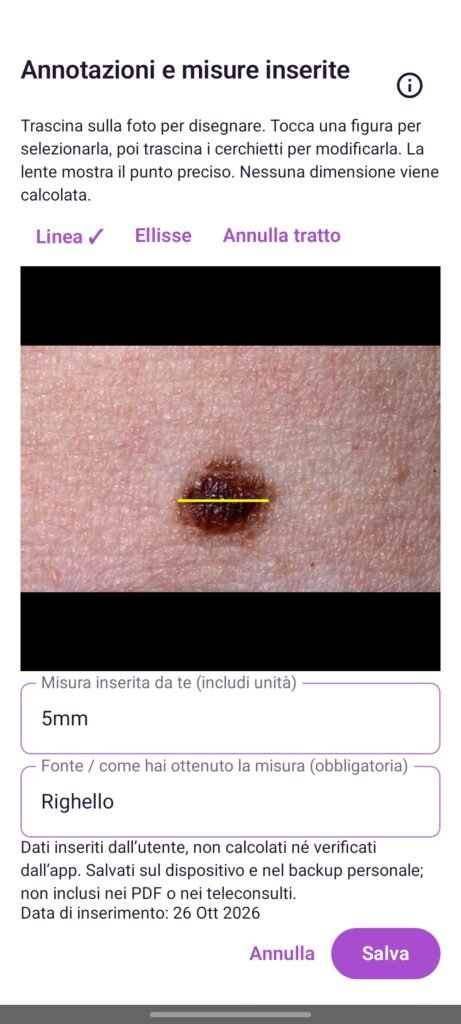
- Annotations and measurements: Draw lines and ellipses, and record measurements—including units and the source. You enter this data yourself; the app does not calculate dimensions.
- Reminders: Receive notifications for new photos at the frequency of your choice.
- PDF reports: Compile a series of images for a specific lesion into a document to show your doctor.
- Multiple users: Maintain separate logs for yourself and your family members.
- Find a dermatologist: Search a map to locate a specialist and book an appointment.
Your privacy
Your photos and data remain on your device and are only shared if you choose to do so. You can create a personal backup and restore it when you switch phones. Annotations and measurements are not included in the PDF reports. The feedback form sends only your message and your operating system information, without linking them to your account.
What SkinTracker is not
SkinTracker is not a medical device; it does not provide diagnoses, nor does it automatically detect changes in a lesion or assess its severity. It is a tool for organizing and comparing your photos. If you notice a change or have any concerns, please consult a doctor. In case of an emergency, contact emergency services.
Frequently Asked Questions
Can SkinTracker tell me if a mole is dangerous?
No. The app does not evaluate lesions or provide diagnoses; it helps you store and compare photos, which you can then show to your dermatologist.
Are my photos uploaded online?
Your photos remain on your device. They are only shared if you choose to share them — for example, by exporting a PDF or asking a dermatologist.
Can I use it for my family members?
Yes. Each person has their own separate records—including lesions, photos, and overview images—all on the same device.
What happens if I switch phones?
Simply create a personal backup and restore it on your new device.
How often should I photograph my moles?
You can set reminders at whatever frequency you prefer. For guidance on the right check-up schedule for you, please consult your dermatologist.
Is it free?
The app is freely available on stores.
Which devices does it work on?
Android and iOS.
Contact and Support
Do you have any questions or suggestions? Reach out to us at info@dermia.org or contact us.